How to Choose the Right PC Power Supply in 2026
Choose the right PC power supply in 2026. Compare wattage, efficiency, ATX 3.x standards, modular cables, GPU connectors, protections and case compatibility.
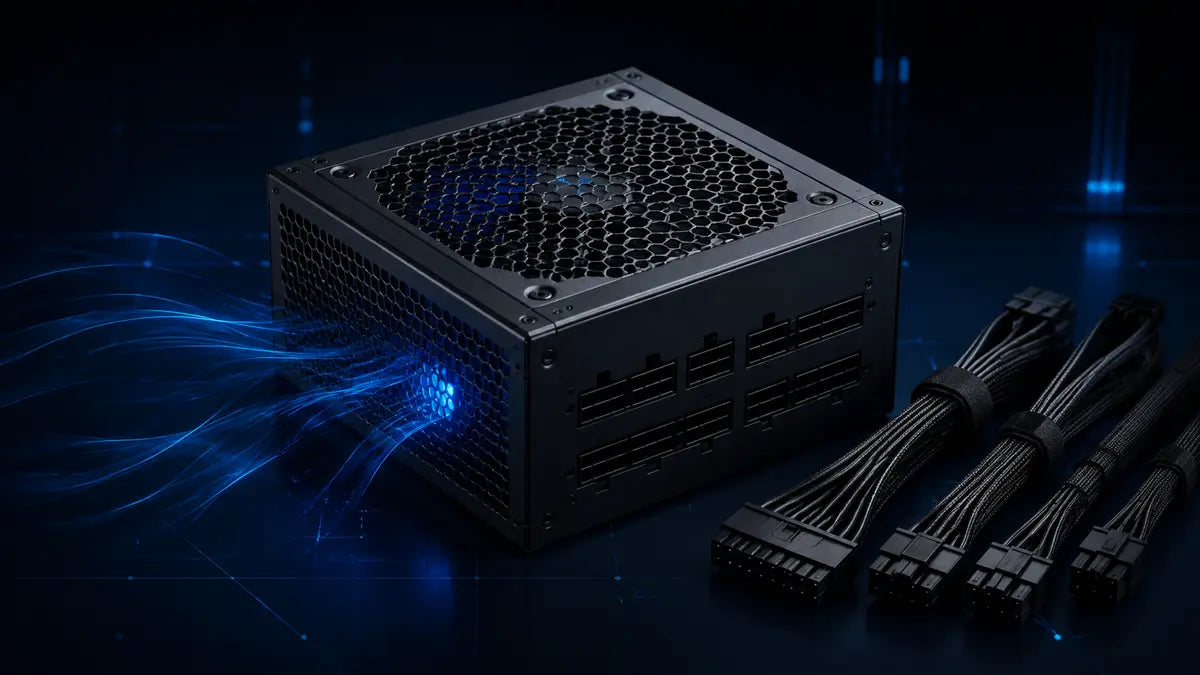
A power supply does not increase frame rates, but every component depends on it. The right PSU must deliver enough clean power for your CPU and graphics card, provide the exact connectors your hardware requires, fit the case, handle short power spikes, and leave sensible upgrade room. For most gaming PCs, quality and compatibility matter more than buying the largest wattage printed on a box.
What does a PC power supply do?
The PSU converts wall power into the regulated DC voltages used by the motherboard, processor, graphics card, storage and accessories. It also reacts to changing load, protects the system when electrical conditions become unsafe and distributes power through several connector families. A weak or incompatible unit can cause shutdowns, instability, excessive noise or damaged hardware even when its advertised wattage looks sufficient.
Stable delivery
The unit must maintain voltage regulation while the CPU and GPU move quickly between idle and heavy load.
Correct connectors
Wattage alone is not enough. The PSU needs the correct CPU, GPU, motherboard and accessory cables.
System protection
A well-designed PSU monitors current, voltage, temperature and total load, then shuts down safely when required.
How many watts does your gaming PC need?
Start with the graphics card manufacturer’s recommended system power, then account for the CPU, drives, fans, pumps, USB devices and possible upgrades. The recommendation is a planning baseline for a complete system, not the GPU’s own power draw. Component quality, connector support and transient-load handling still matter.
| Planning range | Typical use | What to verify |
|---|---|---|
| 550–650 W | Efficient entry-level or mainstream systems | GPU recommendation, CPU power limits and available PCIe connectors. |
| 650–750 W | Many balanced mid-range gaming builds | Enough headroom for sustained mixed CPU/GPU load and normal upgrades. |
| 750–850 W | Higher-performance GPUs and processors | Native modern GPU connector, cable routing and case clearance. |
| 1000 W+ | Enthusiast hardware or specialized expansion | Whether the system truly needs the capacity; wall circuit, size and cooling. |
Do not size a PSU by adding only the CPU and GPU labels. Use the graphics card vendor’s system recommendation and a reputable calculator, then choose reasonable headroom instead of doubling the result.
How much headroom is sensible?
Headroom helps with efficiency, fan noise, component aging and future upgrades, but a dramatically oversized PSU rarely improves performance. A quality unit that operates comfortably within its intended range is a better purchase than a cheaper high-wattage model with weaker electrical design or missing protections.
Energy useWhat do 80 PLUS ratings mean?
An efficiency rating describes how much input power is converted into usable DC power under defined test conditions. Better efficiency generally means less energy becomes heat inside the PSU. It does not mean the computer constantly consumes the unit’s full rated wattage: the system draws what it needs, plus conversion losses.
Useful for heat and noise
A more efficient design can reduce waste heat and help the fan stay quieter at similar loads.
Not guaranteed by the badge
Efficiency certification alone does not prove voltage regulation, transient response, acoustic quality or protection tuning.
ATX 3.0, ATX 3.1 and GPU power connectors
Modern ATX 3.x power supplies are designed around newer system behavior, including large and rapid changes in GPU load. Some current graphics cards use a compact high-power connector such as 12V-2x6, while others still use one or more traditional PCIe 6+2-pin connectors. Confirm the exact requirement of the graphics card model you plan to install.
The component-side plug can look familiar while the PSU-side pinout is different. Reusing a cable from another unit can damage hardware.
Quality, warranty and protection features
Look beyond wattage and efficiency. Reputable reviews can measure voltage regulation, ripple, transient response, hold-up behavior, fan noise and protection thresholds—details that cannot be confirmed from a product photo.
| Protection | Purpose |
|---|---|
| OCP | Limits excessive current on a rail or monitored output. |
| OVP / UVP | Responds when voltage rises too high or falls too low. |
| OPP | Shuts the unit down when total output exceeds a safe level. |
| SCP | Protects against a short circuit. |
| OTP | Stops operation when internal temperature becomes unsafe. |
A longer warranty can signal the manufacturer’s intended product tier, but it should be considered alongside independent testing, platform reputation and the exact model—not just the brand name.
Cable managementFully modular, semi-modular or non-modular?
| Design | Advantages | Trade-off |
|---|---|---|
| Fully modular | Install only required cables; easiest routing and replacement access. | Usually costs more and cables remain model-specific. |
| Semi-modular | Core motherboard cables stay attached while optional cables can be removed. | Less flexible than fully modular, but often a strong value. |
| Non-modular | Simple construction and often lower price. | Unused cables must be stored inside the case. |
Will the power supply fit your case?
Check the PSU form factor and length, not just wattage. Standard ATX units fit many mid-tower cases, while compact systems may require SFX or SFX-L. Drive cages, radiator mounts and thick modular connectors can reduce practical clearance. Also confirm that cable lengths can reach the CPU power socket at the top of the motherboard without tension.
How to choose your PSU
Lock in the CPU and GPU
Power planning is most accurate once the two largest consumers are known.
Read the GPU recommendation
Use the exact graphics card model’s connector and system-power guidance.
Add sensible upgrade room
Leave space for normal component aging and a realistic future upgrade.
Match the standards and cables
Confirm ATX generation, CPU EPS count and the native GPU cable you need.
Verify independent testing
Look for electrical, protection and noise measurements for the exact model.
Measure the case
Check form factor, unit length and room for cable bends.
Compare warranty and price
Buy the best complete design for the system, not the largest number.
Shop available wattages, modular designs, efficiency tiers and modern connector support.
View power supplies →Related guideChoose the right graphics cardMatch GPU performance, VRAM, resolution and power requirements to your build.
Read the GPU guide →Build guideBuild a gaming PC step by stepSee where the PSU fits into compatibility planning, installation and first boot.
Read the build guide →PC power supply FAQ
Is 750 W enough for a gaming PC in 2026?
It is enough for many balanced builds, but the answer depends on the exact GPU, CPU, power limits and connectors. Always check the graphics card manufacturer’s recommendation for the complete system.
Does a 1000 W PSU always use more electricity?
No. The PC draws according to its workload, with some conversion loss. Capacity is a maximum rating, not constant consumption.
Is 80 PLUS Gold always a high-quality PSU?
No. It confirms an efficiency level under defined conditions, not every aspect of electrical design, noise or protection behavior.
Can I reuse modular cables from my old power supply?
Only when the manufacturer explicitly confirms compatibility between the exact PSU models. Never assume matching plugs use the same pinout.
Should the PSU fan face up or down?
Usually toward the case’s filtered ventilation opening. Follow the case design and make sure the intake is not blocked.
Do I need ATX 3.1?
Not every system requires it, but a modern ATX 3.x unit can be a sensible choice for a new high-performance build. Connector compatibility and exact model quality still come first.
Choose stable power before chasing extra wattage
Start with your graphics card and processor, confirm every connector, then select a tested unit with reasonable headroom and the right physical format.