How Much RAM Do You Need in 2026?
Learn how much RAM you need in 2026 for gaming, streaming, content creation, AI, and everyday use. Compare 16GB, 32GB, 64GB, DDR4, DDR5, XMP, EXPO, speed, latency, and compatibility.
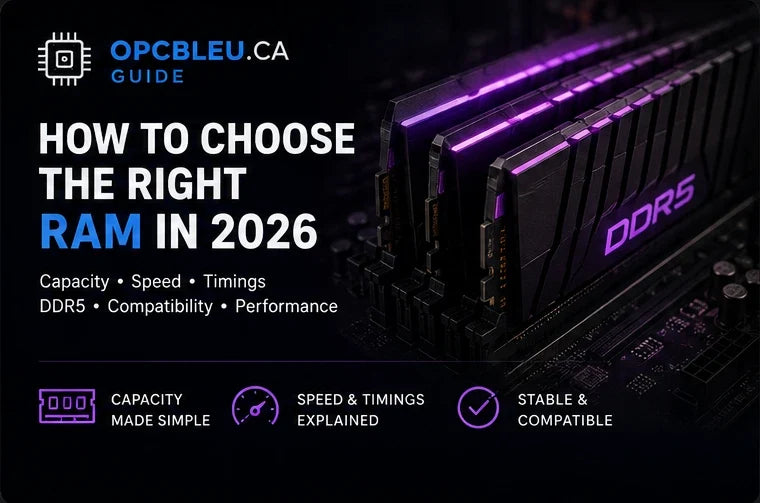
RAM is the high-speed workspace your processor uses while Windows, games and applications are running. Capacity determines how much can remain active at once; memory generation, speed, timings and platform support determine how efficiently that capacity is delivered. For a new gaming PC in 2026, 32GB is the practical sweet spot for most builders, but the correct choice still depends on workload, motherboard and upgrade plans.
What does RAM actually do?
System memory temporarily stores data the CPU needs to access quickly. A game may keep world data, textures, simulation state and cached assets in memory while Windows, a browser, Discord, launchers, RGB software and capture tools consume memory at the same time. When available RAM becomes too tight, the operating system can move less-active data to the page file on storage. Modern SSDs are fast, but they are still far slower and higher latency than DRAM.
Gaming
Holds active game data and gives the system room for background services without excessive paging.
Multitasking
Keeps browsers, chat, launchers and productivity apps responsive while a game or large application stays open.
Creation and AI
Video timelines, large images, 3D scenes, development tools and local AI workflows can consume tens of gigabytes.
Faster memory cannot compensate for a system that repeatedly runs out of usable RAM. Choose enough capacity first, then optimize speed and timings.
How much RAM do you need in 2026?
| Capacity | Good fit | 2026 guidance |
|---|---|---|
| 8GB | Very light office/basic systems | Too restrictive for a new gaming PC; background apps can consume much of it before a game starts. |
| 16GB | Entry gaming, esports, school, everyday use | Still workable, but newer games plus browsers, voice chat and launchers can leave little headroom. |
| 32GB | Modern gaming, streaming, enthusiast desktops | Best all-around target for most new gaming PCs: comfortable multitasking without workstation-level cost. |
| 64GB | 4K/8K editing, large projects, VMs, heavy development | Worthwhile when your applications can genuinely exceed 32GB or you run several demanding tools together. |
| 96GB–128GB+ | Professional production, simulation, large datasets, many VMs | Specialized capacity. Verify motherboard, CPU memory-controller and DIMM support before buying. |
For most gaming builds: 2×16GB is a very strong default. It gives 32GB total capacity while keeping the memory configuration simpler than filling four DIMM slots.
RAM requirements by workload
| Workload | Practical target | Why |
|---|---|---|
| Everyday computing | 16GB | Comfortable for browsers, office apps, media and normal multitasking. |
| Modern gaming | 32GB | Leaves headroom for the game, Windows, launchers, Discord and browser tabs. |
| Gaming + streaming | 32–64GB | OBS, browser sources, recording, overlays and editing tools increase memory pressure. |
| Video/photo creation | 32–64GB+ | Resolution, codec, effects, project size and application caching can raise usage sharply. |
| Virtual machines / development | 64GB+ | Each VM and development environment reserves part of system memory. |
| Local AI / large datasets | 64–128GB+ | System RAM demand varies with model size, software stack and available GPU VRAM. |
DDR4 vs DDR5
DDR4 and DDR5 are different electrical and physical standards; they cannot be mixed and they do not fit the same memory slot. Your motherboard determines which generation you can install.
| Feature | DDR4 | DDR5 |
|---|---|---|
| Typical desktop positioning | Mature, lower-cost upgrade path for compatible systems | Current-generation platform choice for many modern desktops |
| Common performance range | Often around DDR4-3200 to DDR4-3600 in tuned mainstream builds | Common gaming kits start much higher, with 5600–6400 MT/s widely used |
| Bandwidth | Lower | Higher, useful for bandwidth-sensitive workloads and newer platforms |
| Platform examples | AM4 and selected Intel DDR4 motherboards | AM5, LGA1851 and selected/newer Intel DDR5 motherboards |
| Best reason to choose | Keep a good existing DDR4 platform cost-effective | Build a new modern platform with more bandwidth and longer relevance |
Memory speed: what does MT/s mean?
DDR memory is commonly marketed by its effective data rate in megatransfers per second (MT/s). A higher data rate increases theoretical bandwidth, but the real benefit depends on CPU architecture, memory-controller quality, timings, motherboard layout and workload.
| DDR5 data rate | Positioning | What to consider |
|---|---|---|
| 5600 MT/s | Solid baseline | Often easy to run and sufficient for mainstream systems. |
| 6000 MT/s | Popular balanced gaming tier | A common performance/value target when paired with sensible timings and compatible hardware. |
| 6400 MT/s | Higher-performance tier | Check CPU, BIOS, board topology and kit validation carefully. |
| 7200 MT/s+ | Enthusiast tuning | More dependent on motherboard layout, memory-controller quality, DIMM count and capacity; gains can diminish. |
CAS latency and real memory latency
CAS latency (CL) is a timing measured in memory clock cycles. It must be considered together with data rate. Comparing CL alone is misleading because a higher-frequency kit completes each cycle more quickly.
Higher MT/s
Moves more data per second and can help workloads that are sensitive to memory throughput.
Lower effective latency
Can help CPU-sensitive work. Approximate first-word latency in nanoseconds can be estimated as CL × 2000 ÷ data rate.
Example: DDR5-6000 CL30 is roughly 10 ns by that simplified formula. The full memory subsystem has additional timings and platform behaviour, so this is a comparison aid, not a complete benchmark.
Intel XMP vs AMD EXPO
Performance kits normally include one or more stored profiles. Without enabling a profile, the system may boot at conservative standard settings. XMP and EXPO simplify applying the advertised data rate, timings and voltage, but stability still depends on the complete platform.
Intel XMP
Common on performance DDR4 and DDR5 kits. Enable it in BIOS when the motherboard and CPU support the profile, then test stability.
AMD EXPO
Designed to simplify tuned DDR5 settings on compatible AMD platforms. BIOS maturity and memory-controller capability still matter.
One, two or four memory modules?
| Configuration | Advantages | Trade-offs |
|---|---|---|
| 1 module | Simple, leaves slots open | Can reduce available memory bandwidth compared with a proper two-module configuration. |
| 2 matched modules | Excellent balance of bandwidth, stability and upgrade flexibility | Must be installed in the paired slots specified by the motherboard manual, commonly A2/B2. |
| 4 modules | Useful for very high total capacity or filling an existing platform | Places a heavier electrical load on the memory controller and can reduce achievable DDR5 speeds. |
Two separate kits with the same model name are not guaranteed to use identical memory ICs or subtimings. A factory-matched kit is easier to validate.
RAM compatibility on AMD and Intel
| Platform | Memory type | Compatibility notes |
|---|---|---|
| AMD AM4 | DDR4 | Check motherboard QVL, BIOS version, CPU generation and recommended DIMM layout. |
| AMD AM5 | DDR5 | EXPO kits are common; capacity, timings, BIOS and module count influence achievable speed. |
| Intel LGA1700 DDR4 board | DDR4 | The board must specifically be the DDR4 variant. |
| Intel LGA1700 DDR5 board | DDR5 | The board must specifically be the DDR5 variant; DDR4 cannot be installed. |
| Intel LGA1851 | DDR5 | Verify board memory support, BIOS, kit capacity and the CPU generation being used. |
How to choose the right RAM kit
Confirm DDR generation
Identify the exact motherboard and whether it accepts DDR4 or DDR5.
Choose capacity first
16GB for lighter systems, 32GB for most new gaming PCs, 64GB+ for workloads that can use it.
Prefer a matched two-module kit
2×16GB or 2×32GB usually gives a cleaner path to stable performance than filling four slots immediately.
Compare speed and timings together
Do not buy by MT/s or CL alone; evaluate both and consider the price premium.
Check XMP or EXPO support
Choose a profile that matches the platform and confirm the board supports the intended configuration.
Check physical clearance
Tall heat spreaders can interfere with large tower CPU coolers.
Review the QVL for ambitious kits
For very high speed or capacity, the motherboard memory support list is useful evidence of tested configurations.
Memory options to compare at OPCBleu
For compatible AM4 and Intel DDR4 platforms where a cost-effective upgrade makes more sense than replacing the whole system.
Browse memory →DDR5 · 32GB32GB DDR5 kitsThe strongest all-around capacity target for many modern gaming and performance desktops.
Compare 32GB kits →DDR5 · 64GB+High-capacity kitsFor editing, development, virtual machines, large projects and memory-heavy professional work.
Compare high-capacity memory →BrandCorsair memoryCompare available Vengeance and RGB memory options for compatible gaming systems.
Browse Corsair →BrandKingston FURY memoryExplore performance-focused Kingston memory for gaming and productivity builds.
Browse Kingston →All modelsFull memory collectionCompare capacity, generation, speed, timings, heat spreaders and available brands.
View all memory →RAM FAQ
Is 16GB still enough for gaming in 2026?
It remains usable for many games, especially lighter or esports titles. A new gaming PC benefits from 32GB because background applications and newer games have more room to coexist.
Is 32GB overkill for gaming?
For many current builds, no. It is a comfortable capacity that helps multitasking and gives additional headroom without moving into workstation-level capacity.
Do I need 64GB?
Only if your workload can use it: large creative projects, virtual machines, development, local AI or very heavy multitasking are common reasons.
Will more RAM increase FPS?
Only when insufficient capacity is currently causing paging or limiting the game. Once capacity is adequate, CPU, GPU and memory performance characteristics matter more.
Should I choose DDR4 or DDR5?
Your motherboard decides. For a new modern platform, DDR5 is generally the relevant choice; DDR4 still makes sense for compatible existing systems.
Is DDR5-6000 a good gaming target?
It is a popular balanced tier on many compatible platforms, but the ideal kit depends on the CPU, board, BIOS, timings, capacity and price.
What happens if I do not enable XMP or EXPO?
The kit can run at conservative default settings rather than its advertised performance profile.
Can I mix two separate RAM kits?
It can work, but it is not guaranteed. Separate kits may use different memory ICs or subtimings even when the product labels look identical.
Are two sticks better than one?
For mainstream desktop platforms, a matched two-module configuration is normally preferred for bandwidth and balanced operation.
Does RGB memory perform better?
No. RGB is a visual feature. Compare capacity, generation, speed, timings, compatibility and price first.
Choose memory for the whole platform
Start with enough capacity, then match the DDR generation, module layout, speed, timings and profile support to the exact processor and motherboard. A stable 32GB kit that fits the platform well is a better gaming purchase than an extreme specification the system cannot use reliably.