How to Choose the Right Graphics Card in 2026
Compare NVIDIA and AMD graphics cards and learn how to choose the right GPU based on resolution, VRAM, ray tracing, power requirements, compatibility, and budget.
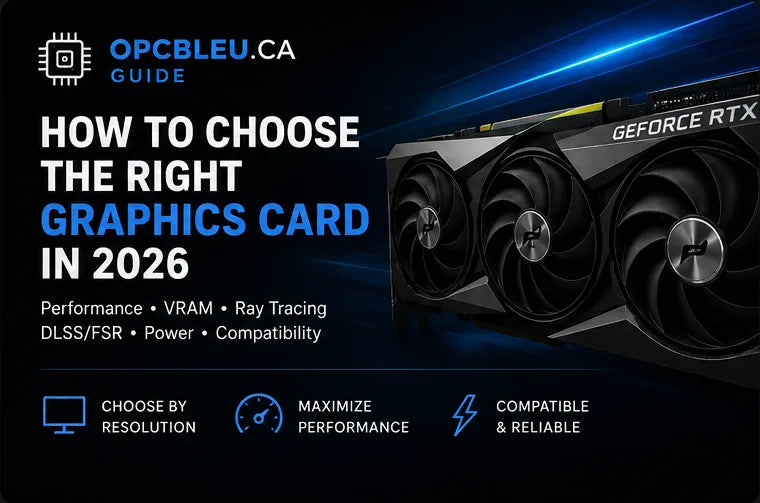
The right graphics card is the one that fits your monitor, games, target frame rate, power supply, case and total PC budget. A GPU that is excellent for 1080p esports is not automatically the best choice for 4K ray tracing, and a card with more VRAM is not automatically faster. This guide restores the full decision process: architecture features, VRAM, ray tracing, upscaling, refresh rate, power, physical fit and complete system balance.
What does a graphics card actually do?
The GPU processes the visual workload that becomes each frame on your display. It handles geometry, textures, shaders, lighting, shadows, reflections, post-processing and many compute operations. Modern GPUs also accelerate video encoding, 3D rendering, creative applications and supported AI workloads.
Gaming performance
Determines how much visual quality and frame rate the system can deliver at a chosen resolution.
Visual features
Handles raster rendering, ray-traced effects, reconstruction, anti-aliasing and supported frame-generation features.
Creation and compute
Video encoders, rendering APIs and compute support can matter as much as gaming speed in a mixed-use PC.
There is no single GPU ranking that answers every purchase. Compare the exact games, resolution, quality settings and creator applications you care about.
NVIDIA GeForce vs AMD Radeon
Both NVIDIA and AMD sell capable GPUs across mainstream and high-performance tiers. The correct comparison is model against model at the price you can actually buy, not brand against brand in isolation.
Ray tracing, DLSS and broad creator support
GeForce cards are commonly chosen for strong ray-tracing performance, DLSS features, video encoding and compatibility with many professional or creator applications. Exact capability depends on the GPU generation and model.
Strong raster performance and competitive value
Radeon cards can offer excellent traditional rasterized gaming performance, competitive pricing, substantial VRAM on selected models and support for AMD FidelityFX technologies.
How much VRAM do you need?
VRAM stores textures, frame buffers, geometry data, shaders and other resources used by the GPU. Requirements rise with resolution, texture quality, ray tracing, mods and professional workloads. Running short can force lower settings or contribute to stutter, but simply adding VRAM does not make a slower GPU core faster.
| VRAM capacity | General use | Important considerations |
|---|---|---|
| 6–8GB | Entry/mainstream 1080p gaming with appropriate settings | High-resolution textures and future titles may require more aggressive setting reductions. |
| 10–12GB | Strong 1080p and 1440p gaming for many modern titles | A practical range for balanced gaming systems when the underlying GPU is fast enough. |
| 16GB | High-quality 1440p, demanding games, some 4K and creator work | Provides more flexibility for heavy textures and mixed gaming/creation use. |
| 20GB+ | High-end gaming, creation, large compute or professional workloads | Capacity matters only when the GPU and software can use it productively. |
VRAM is not a performance score. Always compare the complete GPU first, then make sure its memory capacity is appropriate for the resolution and settings you intend to run.
Ray tracing: what changes?
Ray tracing simulates parts of how light travels through a scene. In supported games it can improve reflections, shadows, global illumination and lighting realism, but those effects add significant GPU workload. The performance cost depends on the game, effect quality and resolution.
Lighting
More physically plausible interactions between light sources and surfaces.
Reflections and shadows
Can improve accuracy on glass, metal, water and shadow edges in supported scenes.
Performance cost
Higher ray-tracing settings can sharply reduce native frame rate, especially at 1440p and 4K.
DLSS, FSR, upscaling and frame generation
Upscaling technologies render internally at a lower resolution and reconstruct toward the target display resolution. Frame generation can insert generated frames between conventionally rendered frames in supported games. These technologies can improve displayed smoothness, but they should complement—not replace—adequate base performance.
| Technology | Main purpose | What to know |
|---|---|---|
| NVIDIA DLSS | Image reconstruction and supported frame-generation features | Feature availability varies by game and GPU generation. |
| AMD FSR | Upscaling and supported frame-generation technologies | Support and quality depend on the specific game implementation. |
| Native rendering | Renders directly at the selected display resolution | Provides the cleanest reference point but usually demands the most raw GPU work. |
| Frame generation | Creates additional displayed frames | Works best when the game already has a reasonable base frame rate and latency is acceptable. |
Choose a GPU for your actual resolution
Moving from 1080p to 1440p and then 4K increases the number of pixels the GPU must process dramatically. The correct GPU tier therefore changes with the display target.
Excellent for value builds and competitive high-FPS systems. CPU performance can become more visible at very high frame rates.
Prioritize value and high FPSA strong balance of image detail, monitor size and GPU demand. More shader performance and VRAM headroom become valuable.
Balanced enthusiast targetVery high image detail with a much larger rendering load. High-end performance, sufficient VRAM and good upscaling support are valuable.
Maximum GPU demandRefresh rate changes the performance target
| Monitor target | Typical priority | Recommended strategy |
|---|---|---|
| 60–75Hz | Image quality and stable performance | Select a GPU that maintains consistent performance at the desired resolution and quality settings. |
| 120–165Hz | Balanced smoothness and visual quality | Use a balanced CPU/GPU combination and tune settings to stay near the monitor's useful range. |
| 240Hz+ | Competitive frame rate and low latency | Strong CPU performance, optimized game settings and a capable GPU all become increasingly important. |
Power supply requirements
A graphics card can represent a large share of system power consumption. Check the card manufacturer's system recommendation, connector type and your exact PSU model rather than relying on a wattage number alone.
Recommended wattage
Start from the GPU manufacturer's system recommendation and account for the CPU and rest of the build.
Connector type
Confirm whether the card uses traditional PCIe power connectors or a newer high-power connector and use approved cabling.
Headroom and quality
A quality PSU with reasonable headroom handles transient loads better than an unknown unit selected only by its label wattage.
Modular cable pinouts are not universally interchangeable. Use cables designed for the exact PSU model unless the manufacturer explicitly confirms compatibility.
Will the graphics card fit your PC?
| Compatibility check | What to measure or confirm | Why it matters |
|---|---|---|
| Card length | Maximum GPU clearance inside the case | Front fans, radiators and drive cages can reduce the advertised space. |
| Card thickness | Number of expansion slots occupied | Thick coolers can block adjacent PCIe slots or bottom-mounted fans. |
| Card height | Side-panel clearance and cable-bend room | Tall power plugs and cables can contact the side panel. |
| Power connector | Connector type, cable count and routing | Incorrect or stressed connections can prevent reliable operation. |
| Motherboard slot | Primary PCIe x16 slot availability | The GPU must be fully seated in a compatible slot. |
| Support bracket | Included or optional anti-sag support | Large heavy cards can benefit from extra physical support. |
How to choose your graphics card
Set the total PC budget
Leave enough budget for the CPU, PSU, case, storage, memory and monitor instead of buying the GPU in isolation.
Choose the target resolution
Decide whether the system is primarily for 1080p, 1440p, ultrawide or 4K.
Set the refresh-rate target
A 4K 60Hz display and a 1080p 240Hz esports monitor require very different system balance.
List the games and settings you use
Competitive, simulation-heavy, modded and ray-traced games can stress different parts of the system.
Choose appropriate VRAM
Match capacity to resolution, texture settings, creation work and expected ownership period.
Verify the PSU
Confirm quality, wattage, connector type and available cables.
Measure the case
Check length, thickness, height, radiator interference and cable-bend clearance.
Compare independent benchmarks
Use results from the exact games, resolution and visual features you plan to run.
Graphics card options at OPCBleu
Compare value-focused cards for balanced 1080p gaming and everyday use.
Browse GPUs →Performance1440p gaming GPUsLook for stronger processing performance and useful VRAM headroom for high-refresh 1440p.
Compare 1440p options →Premium4K gaming GPUsHigh-end cards for demanding resolution, advanced visual effects and creation work.
Shop premium GPUs →GeForce RTX · 16GBMSI GeForce RTX 5070 Ti 16G MLG EditionA performance-focused graphics card with 16GB of graphics memory for demanding gaming builds.
View product →GeForce RTX · 32GBASUS TUF Gaming GeForce RTX 5090 32GB OCA flagship-class option for demanding gaming, advanced creation and high-resolution workloads.
View product →All modelsFull GPU collectionCompare available cards, cooler designs, VRAM capacities and price tiers.
View all graphics cards →Graphics card FAQ
NVIDIA or AMD: which is better for gaming?
Both make excellent gaming GPUs. Compare exact models, current price, raster performance, ray tracing, VRAM, power, software features and the applications you use.
How much VRAM do I need for 1440p?
There is no universal number, but 12GB is a comfortable target for many modern 1440p builds. Individual games and texture settings can require more or less.
Is 8GB of VRAM still enough?
It can be for many 1080p scenarios with appropriate settings. High-resolution textures, mods and newer games can benefit from more.
How much VRAM should I consider for 4K?
High-end 4K gaming generally benefits from generous VRAM, but the GPU's total performance still matters more than memory capacity by itself.
Do I need ray tracing?
No. It is a visual feature, not a requirement for gaming. Prioritize it if supported cinematic games and advanced lighting effects matter to you.
Does frame generation replace a faster GPU?
No. It works best on top of a solid base frame rate and does not replace adequate native rendering performance or low input latency.
Should I replace my PSU when upgrading the GPU?
Replace it if the current unit lacks the necessary quality, wattage, connectors or headroom. Do not judge by wattage alone.
Can any GPU work with any motherboard?
Many modern GPUs use PCIe x16, but you still need physical slot clearance, case space, sufficient PSU support, BIOS compatibility and appropriate operating-system support.
How do I know if a GPU fits my case?
Compare card length, thickness and height with the case specifications and account for installed front fans, radiators, drive cages and cable routing.
Should I choose the GPU before the rest of the gaming build?
It is often useful to set the GPU target early because it strongly influences the PSU, case clearance, monitor target, CPU balance and total budget.
Choose for your monitor and games—not a generic benchmark chart
Define the experience you want on your actual display, then select the GPU that reaches that target without forcing poor compromises in power, cooling, CPU balance or the rest of the build.