How to Choose the Right Gaming CPU in 2026
Compare AMD Ryzen and Intel processors and learn how to choose the right gaming CPU based on performance, core count, platform, budget, and upgrade options.
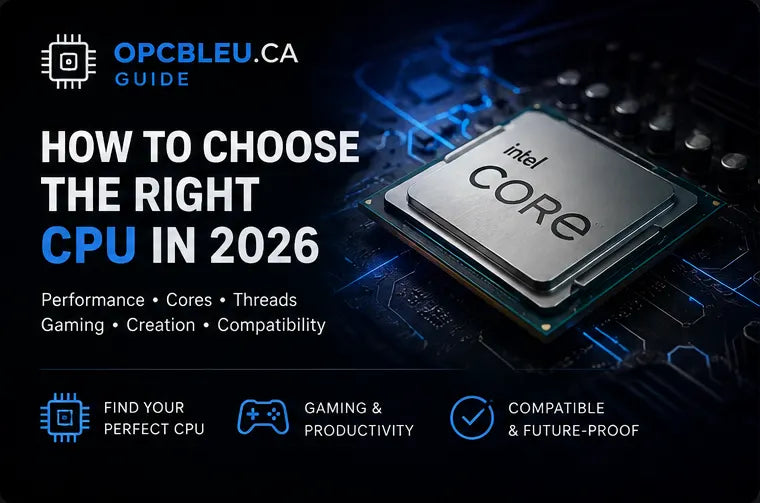
A gaming CPU should deliver strong per-core performance, enough cores for the work you run beside the game and a platform that makes sense for the complete PC budget. The best processor is not automatically the model with the highest core count or price; it is the one that supports your target frame rate, keeps the GPU fed and leaves enough budget for the graphics card, memory, cooling and storage that shape the rest of the experience.
What does the processor do in a gaming PC?
The CPU runs game logic, physics, draw-call preparation, AI, operating-system services and background applications. It also affects system responsiveness, compilation, encoding, content creation and many productivity workloads. In gaming, the CPU matters most when the GPU can render frames quickly enough for processor-side work to become the limiting factor.
Gaming
Processes game logic and prepares work for the GPU. Strong per-core performance helps high-FPS gaming and consistent frame times.
Multitasking
Additional cores give Windows, launchers, voice chat, browsers and background tools more room while you play.
Creation and production
Rendering, encoding, compiling and virtual machines can scale across many cores much more strongly than most games.
Overspending on the processor can reduce the graphics-card budget and lower gaming performance at the resolution you actually use.
AMD Ryzen vs Intel Core / Core Ultra
AMD and Intel both offer capable gaming processors. Compare the exact CPU, motherboard price, memory requirements, cooling needs, power behaviour and upgrade path rather than choosing only by logo.
AM4, AM5 and X3D options
AMD covers cost-effective AM4 upgrades, modern DDR5-based AM5 systems and X3D models designed to improve gaming performance through large on-chip cache. The correct choice depends on the complete platform cost and your workloads.
Gaming, hybrid designs and modern desktop platforms
Intel desktop processors span mainstream Core models and newer Core Ultra platforms. Selected generations use different core types to balance high-performance and background workloads.
How many CPU cores do you need?
Core count matters, but more cores do not automatically mean higher game FPS. Architecture, cache, clock behaviour, memory subsystem and the game engine can matter more than adding several slower cores.
| CPU class | Good fit | Buying logic |
|---|---|---|
| 6 cores | Value gaming and everyday PCs | Modern 6-core processors can deliver excellent gaming performance when the architecture is strong. |
| 8 cores | High-end gaming, streaming, heavier multitasking | A comfortable enthusiast target with additional background headroom. |
| 10–12 cores | Gaming plus streaming, editing or development | Useful when the machine handles meaningful production work beyond gaming. |
| 16 cores+ | Rendering, creation, compilation, simulation and heavy parallel work | Buy the extra cores for real workstation workloads, not because games universally require them. |
For most gaming PCs: a strong modern 6-core or 8-core CPU is a better starting point than chasing maximum core count. The exact game benchmarks matter more.
Clock speed, architecture and cache
Clock frequency by itself is not a universal performance measure. A newer architecture can execute more useful work per cycle than an older design at a similar frequency. Boost behaviour also changes with temperature, power limits and workload.
Clock speed
Shows operating frequency, but does not describe instructions-per-cycle efficiency or the whole CPU design.
Architecture
Determines how efficiently the processor executes instructions and moves data through its internal pipelines.
Cache
Fast on-chip memory reduces trips to system RAM. Some games respond strongly to additional cache, which is why model-specific benchmarks matter.
Why cache can matter in games
Game engines frequently revisit working sets of data. When more of that data stays close to the cores, the CPU can spend less time waiting on main memory. The benefit varies widely by title, so a large cache specification should be treated as one part of the performance picture—not a guarantee.
Resolution and bottlenecksHow gaming resolution changes CPU priority
At lower resolutions and very high frame rates, a fast GPU can finish frames quickly enough that CPU-side work becomes more visible. At higher resolutions, the GPU usually spends more time rendering each frame, so the processor often has more breathing room.
| Gaming target | CPU priority | Recommended approach |
|---|---|---|
| Competitive 1080p | High | Prioritize strong gaming performance, low frame-time variance and enough GPU speed for the target refresh rate. |
| 1440p | Balanced | Choose a capable CPU, then direct substantial budget toward the graphics card. |
| 4K | Moderate | The GPU is more often the primary limit. Avoid overspending on CPU performance that the workload cannot expose. |
| Gaming + streaming | High multitasking | Additional cores can help when encoding, recording, browsers and other tools run alongside the game. |
Choose a CPU for the workload you actually run
Prioritize strong gaming benchmarks, cache behaviour and platform value. A modern 6-core or 8-core CPU is often the correct tier.
Focus: game performanceStreaming, recording, Discord, browsers and overlays can benefit from additional cores and scheduling headroom.
Focus: gaming + multitaskingVideo editing, rendering, compilation and virtual machines can justify 12, 16 or more cores when those workloads are genuinely important.
Focus: parallel performanceSockets, chipsets and motherboard platforms
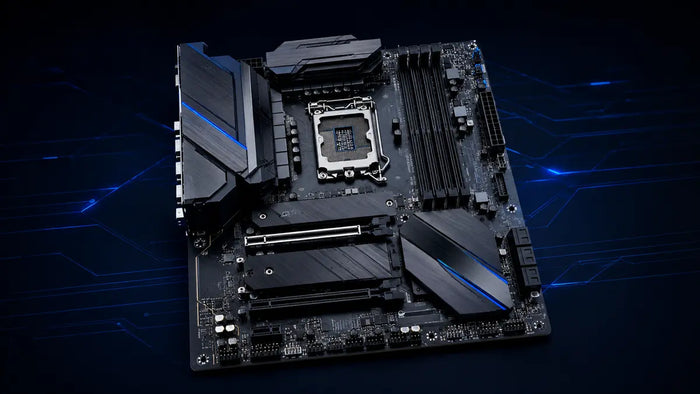
The CPU must match the motherboard socket, but socket alone does not guarantee support. Chipset, BIOS version, memory generation and motherboard power delivery can all matter.
| Platform | General position | Verify before buying |
|---|---|---|
| AMD AM4 | Established DDR4 platform with many compatible Ryzen generations | Exact CPU support list, BIOS version, chipset features and memory support. |
| AMD AM5 | Modern AMD desktop platform using DDR5 | CPU support, chipset features, BIOS, cooling and motherboard form factor. |
| Intel LGA1700 | Platform used by multiple Intel Core desktop generations | CPU generation, chipset, BIOS and whether the board is DDR4 or DDR5. |
| Intel LGA1851 | Newer Intel desktop platform for supported Core Ultra models | Socket, chipset, DDR5 support, cooler compatibility and BIOS. |
Always check the motherboard's CPU-support list. Some boards need a newer BIOS before they can boot a newer processor.
Cooling, power delivery and acoustics
Cooling should be sized for the processor's real power behaviour, case airflow and your noise target. A larger cooler is not automatically necessary, but sustained boost performance and acoustics both improve when the cooler has adequate thermal capacity.
Cooler compatibility
Check socket mounting hardware, tower height, radiator support and nearby RAM clearance.
Case airflow
Fresh intake air and a clear exhaust path help both the CPU cooler and motherboard components.
Motherboard power delivery
High-power processors should be paired with a board designed to supply sustained power without excessive VRM temperature.
How to choose the right gaming CPU
Set the total PC budget
Protect enough budget for the GPU, motherboard, memory, storage, cooling, PSU and case.
Define the main workload
Separate gaming-only needs from streaming, editing, development and workstation tasks.
Choose the platform
Compare AM4, AM5, LGA1700 and LGA1851 using total motherboard and memory cost, not CPU price alone.
Match the CPU to the GPU
High-refresh 1080p needs more CPU emphasis than a GPU-limited 4K build.
Check motherboard and memory costs
A slightly cheaper CPU can become more expensive overall if its platform requires a costly board or memory kit.
Confirm cooling requirements
Include the cost and physical clearance of a suitable air cooler or AIO.
Use independent benchmarks
Compare the games and applications you actually use instead of relying on a single synthetic score.
Processors to compare at OPCBleu
A practical 6-core, 12-thread option for value-focused gaming systems. A dedicated graphics card is required.
View product →Intel LGA1851Intel Core Ultra 5 225A modern desktop processor for gaming, productivity and current LGA1851 platform builds.
View product →Intel LGA1700Intel Core i7-14700KA high-performance hybrid processor suitable for demanding gaming, streaming and content creation.
View product →AMD AM5AMD Ryzen 5 9600XA modern 6-core, 12-thread AM5 processor for responsive gaming and balanced everyday performance.
View product →AMD AM5 · X3DAMD Ryzen 7 9800X3DAn 8-core gaming-focused processor using AMD 3D V-Cache technology for performance-oriented AM5 systems.
View product →AMD AM5 · X3DAMD Ryzen 9 9950X3DA high-core-count Ryzen X3D option for premium gaming combined with demanding creation and multitasking.
View product →Gaming CPU FAQ
AMD or Intel: which is better for gaming?
Both offer excellent gaming processors. Compare exact models, motherboard and memory costs, power, cooling and benchmarks in your games.
Are 6 CPU cores enough for gaming?
A modern strong 6-core processor can deliver excellent gaming performance. Eight or more cores become more useful for heavier multitasking and production workloads.
Do games need more than 8 cores?
Most gaming builds do not need a very high core count purely for gaming. Extra cores matter more when gaming is combined with demanding production work.
Does a faster CPU always increase FPS?
No. When the graphics card is already the limit, a faster CPU may have little effect on average FPS, though minimums and CPU-heavy scenarios can still improve.
What is the difference between AM4 and AM5?
AM4 is an established AMD DDR4 platform. AM5 is a newer AMD desktop platform built around DDR5 and newer Ryzen generations.
What is the difference between LGA1700 and LGA1851?
They are different Intel desktop sockets and require compatible motherboards. A CPU designed for one cannot be installed in the other.
Does every CPU include integrated graphics?
No. Some processors require a dedicated graphics card. Always verify the exact model specification.
Does every CPU include a cooler?
No. Cooler inclusion depends on the exact model. Check the product package and choose a compatible cooler when one is not supplied.
Should I spend more on the CPU or GPU?
For a gaming-first system, the GPU usually deserves a large share of the performance budget. Spend enough on the CPU to meet the target frame rate without unnecessarily starving the GPU budget.
Can I upgrade the CPU without changing the motherboard?
Sometimes. The new processor must be supported by the socket, chipset, BIOS, motherboard power delivery and cooling system.
Choose the platform, not just the processor
A smart CPU purchase includes the motherboard, memory, cooling and upgrade path. Compare total platform cost and real gaming/application benchmarks before making the final choice.