
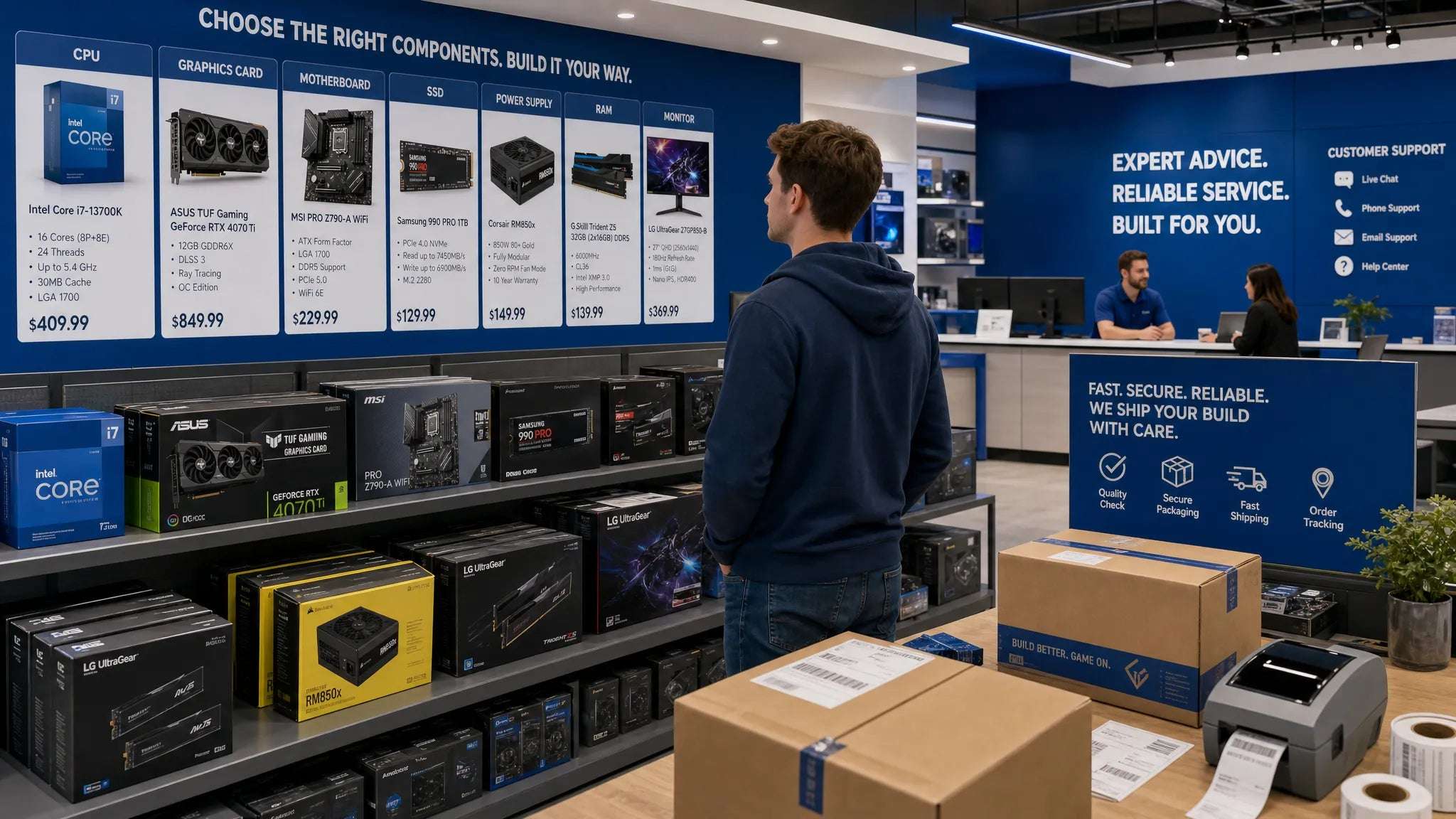
Buying computer parts in 2026 is exciting, but it can also be confusing. GPUs, CPUs, DDR5 memory, PCIe 5.0 SSDs, ATX 3.1 power supplies, high-refresh monitors, and gaming peripherals all come with specs that need to match your goals and your budget. The right computer store should make that process easier, not riskier.
A reliable computer store does more than list products at attractive prices. It gives you enough information to compare parts, protects your payment, ships predictably, explains return and warranty terms, and offers support when you need help. Whether you are building your first gaming PC, upgrading a workstation, or replacing a failed component, the store you choose can affect your final cost, build quality, and peace of mind.
This guide walks through the most important signals to check before you buy in 2026, with a practical focus on PC builders and hardware shoppers in Quebec and across Canada.
What makes a computer store reliable in 2026?
Reliability starts with trust, but trust is not just a feeling. It comes from clear policies, accurate product information, secure transactions, realistic delivery promises, and support that understands computer hardware.
For PC components, reliability also means technical accuracy. A store selling general electronics may be able to ship a keyboard quickly, but a specialized computer store should help you avoid expensive compatibility mistakes. A motherboard may support your CPU only after a BIOS update. A graphics card may fit your case but require a stronger power supply. A high-speed SSD may work in a PCIe 4.0 slot but not reach its advertised maximum speed.
In 2026, you should evaluate a store on four core areas:
- Product accuracy and compatibility guidance
- Transparent pricing, shipping, returns, and warranty terms
- Secure checkout and consumer protection signals
- Customer support that can answer real hardware questions
If a store performs well in all four areas, it is much more likely to be a dependable place to buy CPUs, GPUs, RAM, SSDs, monitors, power supplies, and gaming accessories.
Start with product transparency, not price alone
It is tempting to start by sorting every product page by lowest price. That can work for a simple cable or mousepad, but it is risky for PC hardware. Small differences in model number, chipset, memory type, cooler size, or warranty coverage can make a big difference.
A reliable computer store should provide product pages that clearly show important details such as brand, model, technical specifications, included accessories, warranty information, and availability. For example, a motherboard listing should make it easy to identify the socket, chipset, memory support, form factor, M.2 slots, networking features, and rear I/O. A power supply listing should show wattage, efficiency rating, connector support, and whether it is suited for modern graphics cards.
Also look for precise naming. A vague listing like “RTX gaming GPU 16GB” is less trustworthy than a listing with the full manufacturer, model line, VRAM amount, cooling design, and SKU. When stores use precise details, it is easier for you to compare prices fairly.
Low prices can be legitimate, especially during weekly deals or seasonal sales. Still, if a price is far below every other reputable seller, pause before buying. The Canadian Anti-Fraud Centre is a useful resource for learning about online fraud patterns and safer shopping habits. A good deal should still come with a clear checkout process, proper contact information, and reasonable policies.
Check compatibility support before buying components
Compatibility is one of the biggest reasons to choose a specialized computer store instead of a generic marketplace. Even experienced builders can overlook a detail when upgrading one component inside an existing system.
Here are common compatibility questions a reliable store should help you answer, either through product details, support, or both.
| Component | Compatibility questions to verify | Why it matters |
|---|---|---|
| CPU | Socket, chipset support, BIOS version, cooling requirements | A CPU can be physically compatible but require a BIOS update or stronger cooler |
| Motherboard | Form factor, memory type, expansion slots, Wi-Fi, I/O | It must fit your case and support the parts you plan to use |
| RAM | DDR generation, speed, capacity, clearance, motherboard support | DDR4 and DDR5 are not interchangeable, and tall modules can conflict with coolers |
| GPU | Case clearance, PSU wattage, power connectors, monitor outputs | A powerful card may not fit or may need a newer power supply |
| SSD | M.2 key type, PCIe generation, heatsink space | Performance depends on the slot and platform support |
| Power supply | Wattage, efficiency, connector type, ATX standard | Modern GPUs may require specific connectors and stable power delivery |
| Monitor | Resolution, refresh rate, panel type, adaptive sync, ports | A great GPU experience depends on the display it powers |
Good stores do not need to design your entire build for free, but they should make it easy to confirm the basics. If you contact support with a specific question, such as “Will this CPU and motherboard work together?” or “Is this PSU enough for this GPU?”, the answer should be clear, practical, and honest.

Compare the total cost, not just the product price
The lowest item price is not always the lowest final price. A reliable computer store should make the total cost easy to understand before you check out.
Look at the full purchase cost, including shipping fees, applicable taxes, return shipping rules, and any payment or handling charges. In Canada, it is also important to check whether prices are listed in CAD, especially if you are comparing against international retailers. A product may appear cheaper on a foreign site until currency conversion, import fees, delivery time, and warranty complications are included.
Deals can be valuable when they are transparent. Weekly promotions, clearance pricing, and brand collections can help you save money, especially if you are flexible on the exact model. For example, a similar SSD from another reputable brand may offer the same capacity and performance class at a better price during a promotion.
When comparing stores, ask yourself:
- Is the price shown in Canadian dollars?
- Is shipping free above a clear order threshold?
- Are taxes and shipping costs visible before payment?
- Are the return and warranty terms easy to find?
- Is the discounted product still the right model for your build?
OPCbleu, for instance, highlights deals of the week and free shipping over $125, which are useful details when you are comparing the real cost of a component order. The key is to evaluate the whole cart, not only the headline price.
Review shipping promises and delivery reliability
Fast delivery matters when you are waiting on one part to finish a build. A missing power supply or motherboard can leave every other component sitting unused. But speed only matters if the promise is realistic and backed by clear communication.
A reliable computer store should explain shipping timelines, delivery regions, and any conditions that affect speed. If a site advertises 48-hour delivery, check whether that applies to your location, the product’s availability, and the chosen shipping method. Stores should also communicate order status and provide tracking when available.
For PC components, packaging quality matters too. Graphics cards, motherboards, monitors, and cases can be damaged if they are not packed properly. While you may not know the packaging quality before your first order, customer reviews can reveal whether shoppers frequently report damaged boxes, missing parts, or poor shipping communication.
If delivery is time-sensitive, consider buying from a Canadian or Quebec-based store. Local or regional fulfillment can reduce shipping complexity, currency issues, and return delays compared with ordering from far away.
Understand returns, refunds, and warranty handling
Even when you choose carefully, hardware issues can happen. A component can arrive defective, a monitor can have a panel problem, or a part can be incompatible with your existing system. Before buying, you should know what happens if something goes wrong.
The best computer stores make return and warranty information easy to find. Look for clear answers to questions like these: How long do you have to request a return? Does the item need to be unopened? What happens if a component is dead on arrival? Who pays return shipping? Is the refund issued to the original payment method? Are opened PC components handled differently from accessories?
For Quebec shoppers, it can also be helpful to understand your rights as a consumer. The Office de la protection du consommateur provides consumer information for Quebec, including guidance on purchases, guarantees, and merchant practices. Reading a store’s policies alongside consumer protection resources can help you make a more confident decision.
Warranty handling is especially important for PC builders. Some products are covered directly by the manufacturer, while others may require communication with the retailer first. A reliable store should not hide this information or make you guess who to contact.
Look for secure checkout and trust signals
A trustworthy computer store should treat payment security as a basic requirement. Before entering personal or payment information, confirm that the checkout page uses HTTPS and that the store provides recognized, secure payment options. Avoid sellers that pressure you to pay through unusual methods, especially wire transfers, cryptocurrency, gift cards, or direct messages outside the official website.
Trust signals do not guarantee perfection, but they reduce risk. Look for visible contact information, clear business identity, professional product pages, customer service access, and consistent policies. If a store has a newsletter, wishlist feature, secure checkout, and customer support channels, those are signs of a more developed shopping experience.
You can also search for reviews, but read them carefully. A few negative reviews are normal for any retailer. What matters is the pattern. Repeated complaints about unfulfilled orders, impossible returns, fake tracking numbers, or no response from support are serious warning signs.
Evaluate customer support before you need it
Many shoppers only test customer support after a problem occurs. A smarter approach is to test it before making a large purchase.
Send a short, specific question. For example, ask whether a certain CPU cooler fits a case, whether a power supply is appropriate for a GPU, or whether a motherboard supports a particular RAM kit. The response can tell you a lot about the store.
Good support is not only fast. It should be accurate, polite, and realistic. If support promises that every part will work without asking for details, be careful. If it explains what to verify and points to relevant specs, that is a stronger sign.
For Quebec customers, multi-language support can be valuable. PC building already has enough technical vocabulary. Being able to ask questions in the language you are most comfortable using can make the purchase easier and reduce mistakes.
Use a practical checklist to compare stores
If you are choosing between multiple retailers, use a simple checklist rather than relying on memory. The table below can help you compare options before making a purchase.
| Reliability factor | What to look for | Why it matters |
|---|---|---|
| Product details | Full model names, accurate specs, availability status | Prevents ordering the wrong component |
| Pricing clarity | CAD pricing, visible taxes, shipping rules | Helps you compare the real final cost |
| Compatibility help | Detailed specs or support for build questions | Reduces the risk of mismatched parts |
| Shipping information | Clear delivery estimates and tracking | Helps you plan your build timeline |
| Return policy | Easy-to-find refund and exchange rules | Protects you if an item is defective or unsuitable |
| Warranty guidance | Clear manufacturer or store warranty process | Saves time if hardware fails |
| Secure checkout | HTTPS, trusted payment methods, clear business identity | Reduces payment and fraud risk |
| Support quality | Responsive, knowledgeable, practical answers | Matters before and after the sale |
You do not need every store to be perfect in every category, but you should be cautious if important information is missing. A reliable computer store makes the buying process feel clear, not mysterious.
Watch for red flags when shopping online
Some warning signs should make you slow down or choose another retailer. PC components are high-value products, which makes them attractive targets for scams, gray-market listings, and misleading offers.
Be cautious if you notice vague product names, prices that seem unrealistic, no clear return policy, no secure checkout, poor grammar across essential policy pages, pressure to pay outside the website, or customer reviews that repeatedly mention missing orders. Also be careful with listings that use stock images but provide almost no technical information.
Another red flag is a store that cannot answer basic questions about the products it sells. A seller of gaming GPUs, CPUs, motherboards, and power supplies should be able to provide useful information or direct you to the right specifications. If support avoids direct answers or gives contradictory advice, the risk is higher.
Why Quebec and Canadian PC builders may prefer a local-focused store
Ordering computer hardware from international retailers can sometimes make sense, but local-focused stores offer advantages that matter for PC builders. Canadian pricing reduces currency surprises. Regional shipping can be faster. Returns may be simpler. Customer support may better understand Canadian delivery realities, taxes, and warranty expectations.
For Quebec shoppers, there is also the convenience of dealing with a store that understands the local market. Multi-language support, Canadian payment expectations, and local delivery promises can make the buying experience smoother.
A Quebec-based online computer store like OPCbleu can be especially relevant if you want PC components and accessories without navigating international shipping uncertainty. Features such as fast delivery, secure checkout, weekly deals, brand collections, wishlist tools, and free shipping over $125 are useful when you are planning a build or watching for the right moment to upgrade.
A smart buying process for 2026 PC parts
Once you have chosen a store, take a few final steps before placing your order. Save your build list in one place and confirm that every component works together. Check the motherboard’s CPU support list, the case’s GPU clearance, the power supply’s connectors, and the cooler’s height or radiator support.
Then review your cart as a complete system. A high-end GPU may not deliver its full value if paired with a weak monitor. A fast CPU may run hot without an appropriate cooler. A premium motherboard may be unnecessary if you do not need its expansion features. A reliable store can help, but the best purchases happen when your goals are clear.
Finally, keep records. Save order confirmations, invoices, warranty details, tracking numbers, and product serial numbers. If you ever need support, having this information ready can make the process much faster.
Frequently Asked Questions
What is the most important sign of a reliable computer store? The most important sign is transparency. A reliable store clearly shows product specifications, pricing, shipping terms, return policies, warranty information, and contact options before you buy.
Should I choose the computer store with the lowest price? Not always. Compare the total cost, including shipping, taxes, delivery time, return rules, warranty handling, and compatibility support. The cheapest listing can become expensive if returns are difficult or the product is not the exact model you need.
How can I tell if PC components are compatible before ordering? Check the CPU socket and chipset, motherboard form factor, RAM generation, GPU clearance, PSU wattage and connectors, storage slots, and case dimensions. If you are unsure, contact the store’s support with your current parts list.
Is it better to buy computer parts from a local or Canadian store? It can be, especially if you want CAD pricing, faster regional shipping, simpler returns, and support that understands the Canadian market. For Quebec shoppers, multi-language support can also be a practical advantage.
What should I do if a component arrives defective? Keep the packaging, take photos if there is visible damage, avoid forcing installation, and contact the store promptly. Review the store’s return and warranty policy so you know whether the issue is handled by the retailer or manufacturer.
Choose your next computer store with confidence
A reliable computer store should help you buy the right parts, understand the full cost, receive your order safely, and get support if something goes wrong. In 2026, that matters more than ever because PC hardware is powerful, specialized, and often expensive.
If you are shopping for PC components or gaming accessories in Quebec, OPCbleu offers a focused online destination for CPUs, GPUs, RAM, SSDs, motherboards, monitors, power supplies, keyboards, mice, and more. Explore current deals, compare trusted brands, build your wishlist, and shop with secure checkout when you are ready to upgrade.